


Heated coffee mugs have matured far beyond the Ember-or-nothing days. This guide breaks down
all three heating technologies, compares the top models by real use case, and tells you exactly which one to buy
based on how you actually drink — not just how you hope you will.
There is something disproportionately annoying about cold coffee. You pour the best heated coffee mug of the
morning, get pulled into a call, and come back to something that tastes like regret. The category of heated coffee
mugs has grown substantially in recent years, and what was once a simple choice between Ember and everything else
is now a genuinely layered decision involving different heating technologies, price tiers, and trade-offs most
buyers don’t know to ask about.
This guide covers how these mugs work, what the science says about why temperature matters, and which option
actually makes sense for how you drink. I’ve tested dozens of countertop appliances across these categories, and
the honest answer is that the right mug depends almost entirely on where and how you use it.
In This Article
- What Is a Mug Warmer vs. a Heated Mug?
- How Does a Self-Heating Mug Work?
- Why Coffee Temperature Matters
- Best Heated Coffee Mugs Compared
- Device Reviews: Bella’s Take
- Battery Life & Long-Term Reliability
- Which Type Is Right for Your Setup?
- Is a Heated Coffee Mug Worth It?
- Frequently Asked Questions
- The Bottom Line
What Is a Mug Warmer and How Does It Differ from a Heated Mug?
A mug warmer and a heated mug are not the same product, and the distinction matters when you’re spending real
money. A mug warmer is an external device, usually a flat plate or pad that sits on your desk and transfers heat
to whatever cup you place on top. A heated mug, by contrast, generates heat from within the vessel itself using an
internal battery and heating element.
There are three distinct categories of coffee cup warmers on the market right now. First, integrated battery
smart mugs: self-contained vessels with internal lithium-ion cells and temperature sensors, like the Ember Mug 2
or Nextmug. Second, electromagnetic induction systems: a passive ceramic mug paired with a powered pad that heats
via magnetic fields rather than direct contact, as with the OHOM Ui. Third, direct conductive heating plates:
simple desktop coffee cup warmer plates that warm the bottom of whatever mug you already own — essentially an
upgraded tea warmer for your desk.
The coffee cup warmers category also includes tea warmer applications, since all three types work equally well
for tea, hot chocolate, or any warm beverage. Each type has real advantages and real limitations. Which one fits
your life depends on how much time your mug spends off the charger and how precise you want your temperature
control to be.
How Does a Self-Heating Mug Actually Work?
A self heating mug uses a feedback loop: a temperature sensor reads the current liquid temperature, a control
circuit adjusts output to a heating element embedded in the base, and the whole system is sealed inside a
double-walled stainless steel body. The heated mug maintains your target temperature by applying short bursts of
electrical resistance heat whenever the liquid drops below the set point.
The engineering challenge is that lithium-ion batteries and heat are natural enemies. Battery cells degrade
faster when exposed to sustained warmth. So every self heating coffee mug has to manage thermal isolation between
the heating element and the battery housing. That thermal management layer is part of why these mugs are heavier
than they look and why the internal volume is always smaller than the exterior suggests. The electric coffee mug
you’re holding contains considerably more engineering than it shows.
The inductive system works differently. The OHOM Ui Mug embeds metallic particles in its ceramic base. When
placed on the OHOM pad, a fluctuating magnetic field induces eddy currents in that metallic layer, generating heat
directly inside the mug without any battery inside the vessel itself. It’s a cleaner design from a durability
standpoint, but it has a hard limitation: the heating stops the moment the mug leaves the pad.
Why Coffee Temperature Actually Matters
Most people pick a target temperature on their smart mug somewhat arbitrarily. That’s worth correcting, because
the science here is more specific than most buyers expect. A temperature control mug is only as useful as the
temperature you set it to, and the range that actually matters for flavor is narrower than the marketing suggests.
“Because consumers under typical conditions cannot heat up their coffee, but can readily wait a few minutes for
the beverage to cool, a key conclusion is that initial tasting temperatures for black coffee should be at least
68 to 70 degrees Celsius. Coffee service procedures that yield initial tasting temperatures less than 68 degrees
Celsius will leave sizable fractions of consumers dissatisfied.”William Ristenpart, Andrew Cotter & Jean-Xavier Guinard — UC Davis Coffee Center, Scientific
Reports
That translates to roughly 154 to 158 degrees Fahrenheit as the minimum serving temperature before a significant
portion of drinkers are unhappy. But here’s the thing: consumer preference research from Oregon State University puts the average
preferred drinking temperature at 145 degrees Fahrenheit, with a range spanning 131 to 158 degrees across
different drinkers. Most smart mugs cap out at 145 degrees, which lands right in the sweet spot.
Below around 120 degrees, acidity becomes more prominent, aromatic compounds weaken, and coffee that tasted
balanced when hot starts to read as flat or sour. Above 155 degrees, heat masks the same subtle flavors you’re
paying for when you buy specialty coffee. The practical implication is that setting your mug to 135 to 145 degrees
and leaving it there is not just convenient. It’s where the coffee is actually best.
The Best Heated Coffee Mugs, Compared by Type
Finding the best coffee mug warmer for your situation means matching the technology to the use case. Here’s how
the main options stack up. I’ve organized this as the best coffee cup warmer options across all three heating
categories, because the right answer is genuinely different depending on how you use it.
| Brand & Model | Capacity | Temp Range | Cordless Battery | Control | Price (Approx.) |
|---|---|---|---|---|---|
| Ember Mug 2 (14 oz) | 14 oz | 120–145°F | 80 min (off coaster) | App + bottom dial | ~$150 |
| Ember Tumbler | 16 oz | 120–145°F | Up to 3 hours | App only | ~$199 |
| Nextmug Go (16 oz) | 16 oz | 130 / 140 / 150°F | 2+ hours | Onboard button only | ~$120 |
| VSITOO S3 Pro | 14 oz | 100–150°F | 2–4 hours | App + onboard touch | ~$89 |
| Glowstone Smart Mug 2 | 12.5 oz | 140–150°F | ~1 hour | Autonomous sensor | ~$159 |
| OHOM Ui+ Mug Set | 18 oz | ~130°F | None (pad only) | Pad only | ~$120–140 |
| COSORI CO162-CWM | 17 oz mug included | Adjustable to ~140°F | Plugged in only | 1-degree dial | ~$40–60 |
A few things stand out in this comparison. The best self heating mug for pure off-coaster portability is
currently the Nextmug Go or the VSITOO S3 Pro, both of which substantially outrun the Ember Mug 2 on battery life
at a lower price. The best electric coffee mug for app control and refinement remains the Ember. And the OHOM Ui
represents a genuinely different design philosophy: no battery, no app, no degradation over time.
Worth pausing on that for a second. Wirecutter’s testing found that the Ember Mug 2 held temperature within plus or minus one degree Fahrenheit throughout
use. That level of consistency is real and impressive. But it doesn’t automatically make it the right mug for your
desk if you spend most of your time on a coaster anyway.
Device Reviews: Bella’s Hands-On Take
Specs tell part of the story. Here’s what actually matters after living with each of these mugs through a full
morning routine, back-to-back meetings, and the kind of distracted slow-drinking that a heated mug is specifically
designed to rescue you from.
Ember Mug 2 (14 oz)
Best for Precision
~$150 — Available at Ember, Amazon, Best Buy
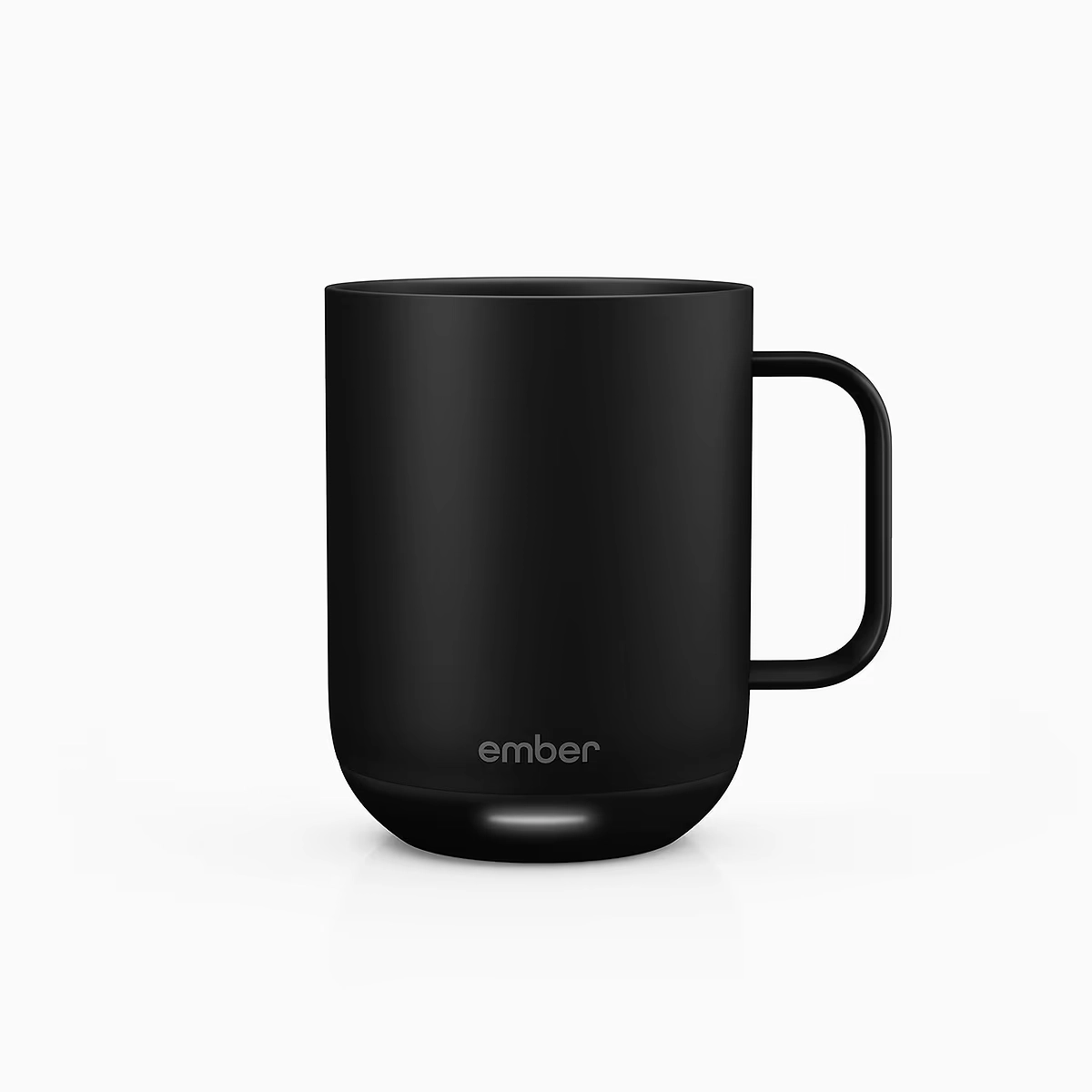
| Capacity | 14 oz (10 oz also available) |
|---|---|
| Temperature Range | 120°F – 145°F in 1-degree increments |
| Battery Life | ~80 min off coaster; unlimited on coaster |
| Control | Bluetooth app + bottom dial (defaults to 135°F without app) |
| Materials | Stainless steel with ceramic-reinforced coating, IPX7 rated |
| Cleaning | Hand-wash only |
Pros
- Holds within ±1°F of set temperature throughout use
- App is genuinely polished — named presets, auto-sleep, notifications
- Auto-activates when liquid detected; sleeps when empty
- Coaster provides all-day warmth with no battery concern
- Largest internal capacity among battery-smart mugs at 14 oz
Cons
- $150 is hard to justify on function alone
- Battery sealed — non-replaceable, degrades after 12–18 months heavy use
- App required for any temperature adjustment beyond the default
- Android Bluetooth pairing issues reported by some users
- Lids sold separately (~$15 extra)
Bella’s Take
The Ember Mug 2 earns its benchmark status, but barely. In daily use the temperature consistency is
genuinely impressive — I set it to 138°F for my morning pour-over and it holds there with a precision I’ve
never replicated with any passive mug. The app is the best in the category. But the sealed battery is a real
problem I didn’t appreciate until about fourteen months in, when my off-coaster time dropped from around 75
minutes to under 20. For desk use with the coaster always nearby, it’s still an excellent mug. For anyone
planning to use it on the move regularly, factor in that the hardware has a shelf life the price tag doesn’t
account for.
OHOM Ui+ Mug Set (18 oz)
Best for Desk Use
~$120–$140 — Available at OHOM, Nordstrom, 2Modern
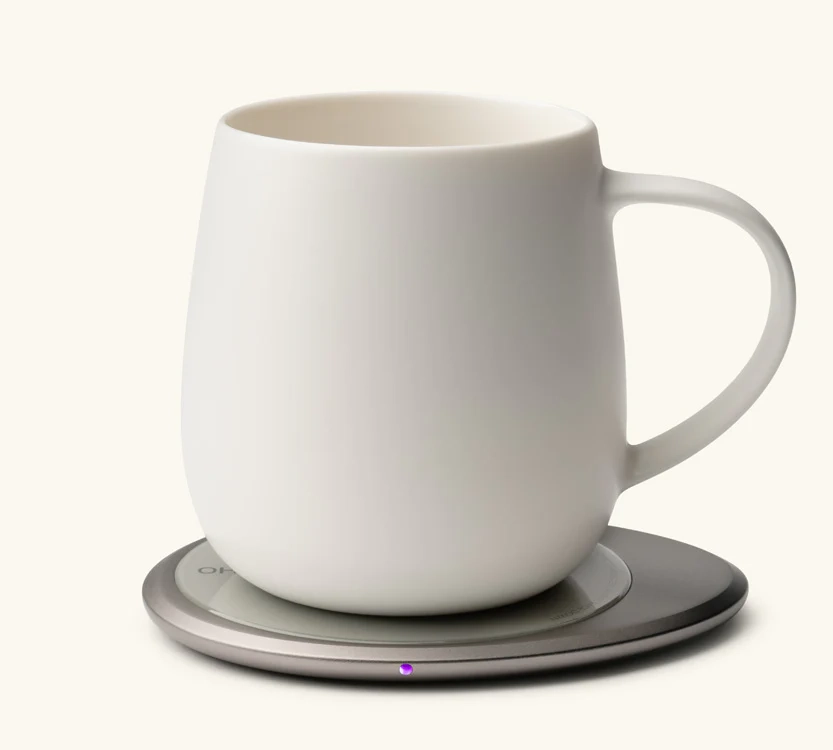
| Capacity | 18 oz (Ui+ model); 12 oz (standard Ui) |
|---|---|
| Temperature | ~130°F (fixed, pad-controlled) |
| Battery Life | None — pad-only induction heating |
| Control | Plug pad in, place mug on pad — no app, no settings |
| Materials | Handcrafted fine ceramic; aluminum + tempered glass pad |
| Cleaning | Mug is dishwasher safe; pad wipe-clean only |
Pros
- No battery means zero degradation over time
- Dishwasher-safe ceramic mug — genuinely rare in this category
- Pad doubles as 15W wireless phone charger
- Largest capacity option reviewed here at 18 oz
- No app, no account, no firmware updates required
Cons
- Zero portability — heat stops the moment mug leaves the pad
- Fixed 130°F target — no degree-level control
- Requires 12V wall adapter — standard USB ports insufficient
- Heat dissipates within ~10 minutes off the pad
- Ceramic lid required to reach target temp efficiently
Bella’s Take
The OHOM Ui+ is the mug I recommend to anyone who spends most of their day at a single desk and never wants
to think about it again. There’s no app to update, no battery to degrade, no charging pins to corrode — you
plug the pad in once and it just works, indefinitely. The 130°F target is slightly cooler than I’d
personally choose, but it’s within the preferred drinking range and the ceramic build genuinely makes the
coffee taste cleaner than stainless steel alternatives. The pad’s phone charging function is an underrated
bonus. The only real trade-off is that this mug is completely useless the moment you stand up.
Nextmug Go (16 oz)
Best App-Free Portable
~$120 — Available at Nextboom, Amazon
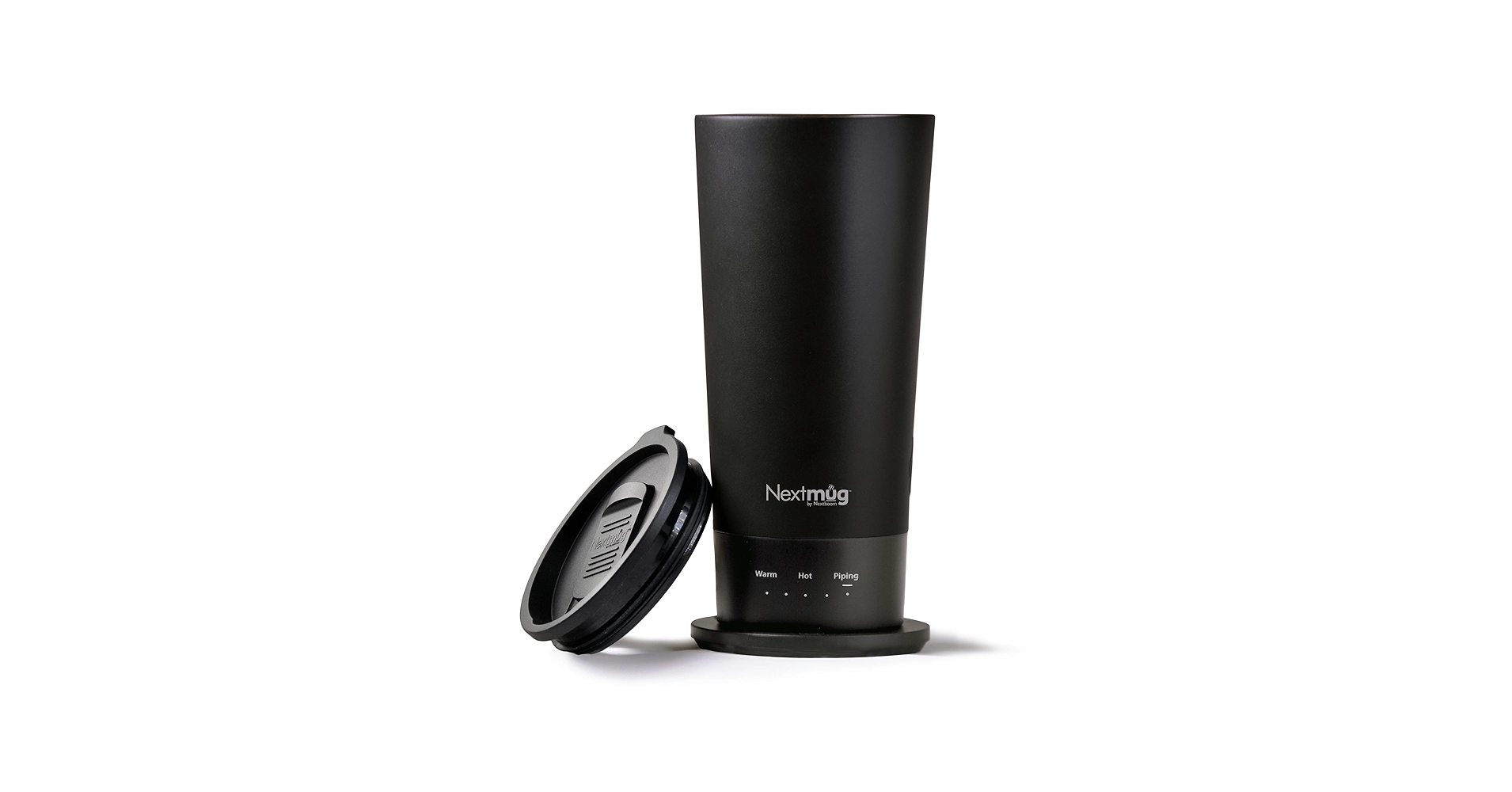
| Capacity | 16 oz |
|---|---|
| Temperature Range | Warm (130°F) / Hot (140°F) / Piping (150°F) — 3 fixed settings |
| Battery Life | 2+ hours (rated for 1,000 charge cycles at 80% effectiveness) |
| Control | Single onboard tactile button with LED array — no app |
| Materials | 304 stainless steel with ceramic matte finish |
| Cleaning | Hand-wash only; spill-resistant lid included |
Pros
- 2+ hours of off-coaster heat — significantly outpaces Ember Mug 2
- No app, no account, no Bluetooth — just press a button
- Battery rated for 1,000 cycles with 80% effectiveness guarantee
- Tapered design fits car cup holders and backpack pockets
- Piping 150°F setting exceeds Ember’s 145°F ceiling
Cons
- Only three fixed temperature settings — no fine-tuning
- Button placement at the base is slightly awkward to reach
- No coaster option for unlimited desk warming
- Slower to heat cold liquid than Ember
- Less refined aesthetic than Ember or OHOM
Bella’s Take
The Nextmug Go makes a very specific argument: what if a smart mug just worked, without a phone? After
years of evaluating connected kitchen appliances where the “smart” part is usually the weakest component, I
find that argument genuinely refreshing. The battery life is the real story — two-plus hours is enough for a
morning commute, a long meeting, and a leisurely desk session without ever reaching for a charger. The three
fixed temperature options cover 95 percent of practical use cases. And the 1,000-cycle battery rating is the
most honest long-term durability commitment in this category. It won’t win on fit and finish, but it’ll keep
working long after some competitors are sitting in a drawer.
VSITOO S3 Pro (14 oz)
Best Value Smart Mug
~$89 — Available at Amazon, VSITOO
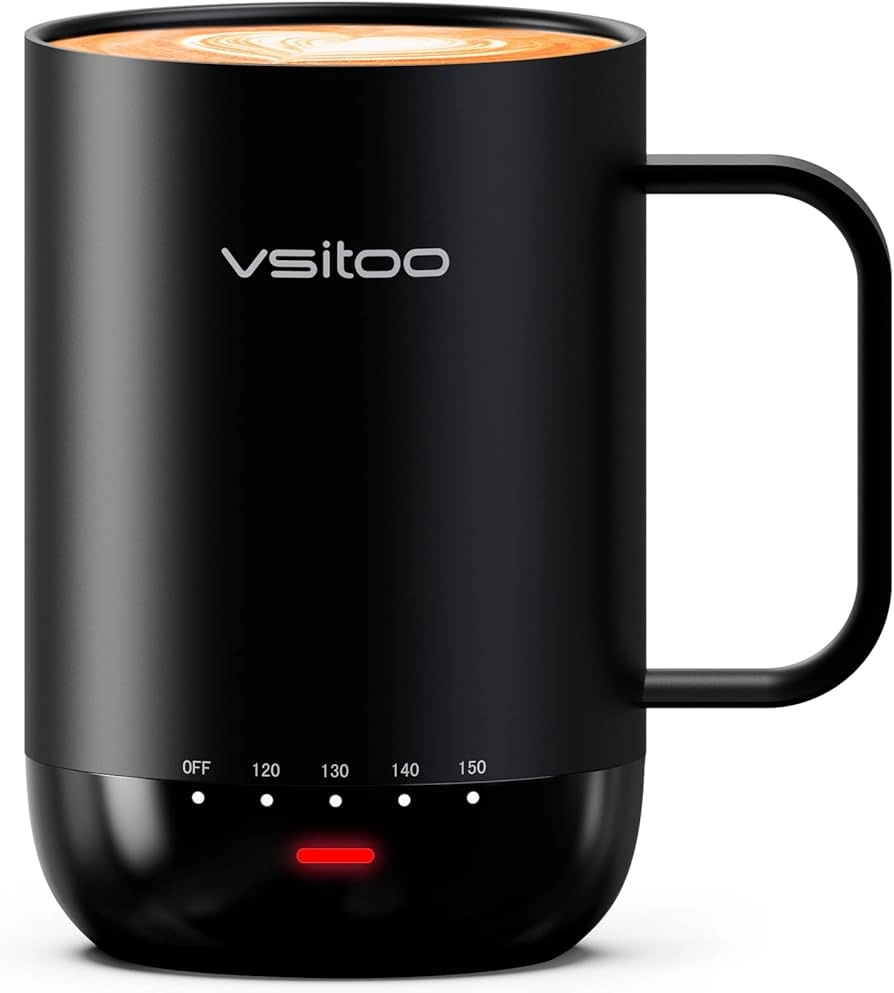
| Capacity | 14 oz |
|---|---|
| Temperature Range | 100°F – 150°F (widest range in category) |
| Battery Life | 2–4 hours (2,500mAh cell) |
| Control | App + onboard touch interface; IPX7 waterproof rated |
| Materials | 304 stainless steel interior and exterior |
| Cleaning | Hand-wash only |
Pros
- Widest temperature range in the category: 100°F–150°F
- 2,500mAh battery delivers 2–4 hours of real-world cordless heat
- Onboard touch control works independently of the app
- IPX7 waterproof — handles splashes and rinses without stress
- ~$60 cheaper than Ember for comparable daily functionality
Cons
- App has documented pairing bugs, cache issues, and Bluetooth drops
- Occasional firmware bug reports the mug as empty when it isn’t
- Location permissions required by app — privacy concern for some users
- Build quality and finish not quite at Ember’s level
- Less brand recognition means fewer third-party reviews to verify claims
Bella’s Take
The VSITOO S3 Pro is the mug I reach for when someone asks me what to buy if they don’t want to spend $150.
The hardware is genuinely good: the battery outlasts Ember’s off-coaster by a wide margin, the temperature
range covers green tea at 100°F all the way up to a hot piping 150°F, and the onboard touch control means
you’re never stranded without your phone. The app is a different story — I’ve had to re-pair it twice in
three months of testing, and the location permission prompt on first setup is an unnecessary friction point.
But if you’re the kind of person who sets a temperature once and doesn’t touch the app again, those issues
mostly disappear into the background. It’s 80 percent of the Ember experience at 60 percent of the price.
Glowstone Smart Mug 2 (12.5 oz)
Best for Flavor Purists
~$159 — Available at Glowstone
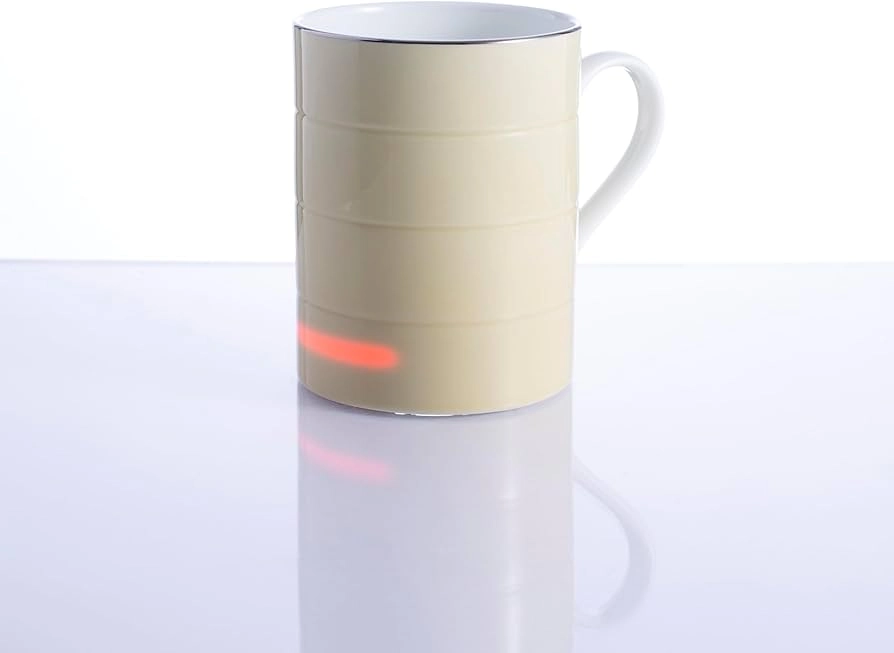
| Capacity | 12.5 oz |
|---|---|
| Temperature Range | 140°F – 150°F (fixed autonomous range) |
| Battery Life | ~1 hour off its Qi charging base |
| Control | Fully autonomous — no buttons, no app; internal sensor auto-activates |
| Materials | Fine bone china throughout — no plastics, no metallic coatings |
| Cleaning | Dishwasher safe (under 140°F wash cycle) |
Pros
- Fine bone china is chemically inert — zero flavor transfer or metallic taste
- Fully autonomous — detects liquid and activates with no interaction required
- Dishwasher safe: no exposed contacts or sealed batteries
- Qi charging base also charges smartphones wirelessly
- No buttons, no app, no account — the simplest possible user experience
Cons
- Smallest capacity reviewed: 12.5 oz only
- No temperature control whatsoever — holds 140–150°F or nothing
- ~1 hour battery is the shortest off-base time in this group
- $159 price is high given the limited flexibility
- Lower brand recognition means harder to verify long-term durability claims
Bella’s Take
The Glowstone is the most interesting mug in this group, and also the most polarizing. For specialty coffee
drinkers who care about flavor above everything else, bone china is the correct material: it’s the same
reason fine teacups and cupping bowls are made from it. The complete absence of buttons, apps, or settings
sounds like a limitation until you realize how liberating it actually is. You place the mug on its base,
pour in your coffee, and it’s at 140–150°F when you come back. That’s it. The trade-offs are real: the
capacity is small, the off-base time is short, and you have zero control over the temperature window. If
those constraints fit your drinking style — mostly at your desk, mug-sized pours, and you drink actual
coffee rather than 16-ounce milky concoctions — this is a genuinely special object.
What to Know About Battery Life and Long-Term Reliability
Battery life claims deserve skepticism. Manufacturers test under controlled conditions: liquid already near
target temperature, moderate ambient air, no app connection draining power simultaneously. Real-world use is
messier, and a warming coffee mug in a cold office on its highest setting will fall meaningfully short of
advertised cordless time.
But the longer-term issue is more significant than the day-one performance gap. Here’s the part most people miss:
lithium-ion cells degrade when exposed to sustained heat. Because every cordless mug warmer places its battery
directly adjacent to its heating element, the chemistry inside those cells takes more stress than a typical device
battery. Reports from long-term users indicate that some Ember devices experience a dramatic reduction in
off-coaster heating time after 12 to 18 months of daily use, sometimes dropping from the advertised 80 to 90
minutes to under 15 minutes. The batteries are hermetically sealed and cannot be replaced by the user.
Before buying any self-heating mug, it’s worth checking three things:
- Charge cycle rating: Nextmug officially rates their battery for 1,000 cycles with an 80
percent effectiveness guarantee, a notably stronger commitment than most competitors offer. - Plug-in behavior: Can the mug maintain temperature while plugged in, or does heating only
work on battery? This matters for desk users who want a backup mode. - Warranty scope: What exactly does the warranty cover, and for how long? A $150 mug that
functions as dead weight after 18 months of daily use is not a good value, regardless of how well it performed
on day one.
Which Type of Heated Mug Is Right for Your Setup?
So what does that actually mean for you? The answer splits cleanly across three buyer types, and most people fall
pretty clearly into one of them once they think about their actual routine rather than the best-case scenario they
imagine when shopping.
- The desk worker who rarely leaves the coaster: A mug warmer for desk use that relies
primarily on its charging base makes the most sense here. The OHOM Ui Mug is the strongest pick: no battery
degradation, dishwasher safe, 15W wireless phone charging built into the pad, and a ceramic build many users
find more pleasant to drink from than stainless steel. A quality conductive plate warmer paired with a
flat-bottomed metal mug is an even more affordable option. When warming coffee mugs spend 90 percent of their
time docked, off-coaster battery life is essentially irrelevant. - The slow drinker who wants precise control: The Ember Mug 2 on its charging coaster provides
unlimited heating time at a precise, app-controlled temperature. If you spend two to three hours on a single
cup, the coaster is what makes this mug viable. This is also where Ember’s app refinement pays off: named
presets, auto-sleep when the mug is empty, and to-the-degree temperature targeting that compounds over a long
slow drink. It’s the clearest argument for paying the Ember premium. - The commuter or desk-leaver: You need a mug that keeps coffee hot without a pad. The Nextmug
Go (16 oz, two-plus hours, no app required) or the Ember Travel Mug 2 (three-hour battery, leak-resistant lid)
are the two strongest options. For warming coffee mugs used primarily in transit, the absence of an app
dependency is a genuine quality-of-life advantage that the Nextmug exploits well.
If none of these archetypes fit cleanly, the VSITOO S3 Pro is the best hybrid option: better battery life than
Ember at a meaningfully lower price, a wider temperature range (down to 100 degrees for delicate teas), and solid
performance whether on or off the charger. The app has had stability issues, but the hardware performs. For a
broader look at connected kitchen technology that pairs well with a smart mug, the ositosf.co kitchen tech guides cover appliances across every
category.
Is a Heated Coffee Mug Worth the Money?
The short answer? It depends on how you drink. If you finish a cup of coffee in ten minutes without interruption,
a standard insulated travel mug at $30 does everything you need. The case for an active heating mug only
materializes when your drinking window is long, fragmented, or frequently interrupted.
After testing appliances in this category, my honest take is that the value equation shifts significantly based
on which product you’re evaluating. Ember’s premium pricing is not purely about performance. You’re paying for the
ecosystem, the app polish, the aesthetic, and the brand. That’s a legitimate value proposition for some buyers.
But the gap between Ember and an $89 VSITOO or a $120 Nextmug in terms of actual daily performance is much smaller
than the price difference suggests.
For most desk workers, a heated mug pays for itself in small daily satisfactions. The alternative, reheating
coffee in the microwave, actually degrades flavor by unevenly boiling the liquid and driving off aromatic
compounds. If you’ve done that more than a few times this week, a heated mug is a meaningful upgrade. The question
is not whether to buy one. It’s how much to spend.
What is the best heated mug for someone who drinks slowly?
For slow drinkers, a mug paired with a charging coaster is the clear answer because off-coaster battery life
becomes irrelevant when the mug spends most of its time docked. The Ember Mug 2 with its coaster is the
strongest option in this category: it holds temperature indefinitely while docked, maintains accuracy within
roughly one degree Fahrenheit, and the app allows you to dial in exactly where you want your coffee to stay
throughout a long morning. The OHOM Ui Mug is the runner-up, particularly for desk-only users who want a
simpler setup with no app, no battery degradation, and a dishwasher-safe ceramic vessel. Both outperform any
portable-first design for slow, seated drinking. The best heated mug for your situation ultimately comes down
to whether you prioritize app control or simplicity.
What is the best temperature control mug for precise brewing?
The best temperature control mug for degree-level precision is the Ember Mug 2. It allows temperature
adjustment in one-degree increments between 120 and 145 degrees Fahrenheit via the companion app, and Wirecutter’s testing confirmed it holds within plus or minus one degree of the
set target throughout use. For tea drinkers or light roast enthusiasts who want a lower minimum temperature,
the VSITOO S3 Pro extends the range down to 100 degrees Fahrenheit, which is useful for green teas and
delicate herbal infusions. If you prefer no app involvement at all, the Nextmug offers three fixed temperature
settings at 130, 140, and 150 degrees Fahrenheit, covering most practical drinking preferences with a tactile
button and LED feedback rather than a smartphone interface.
Are heated coffee mugs dishwasher-safe?
Most integrated-battery smart mugs are not dishwasher-safe. The electronic components, battery, and sealed
charging contacts cannot withstand submersion or high-pressure wash cycles, and manufacturers including Ember
explicitly recommend hand-washing only. The exception is the Glowstone Smart Mug 2, which charges via sealed
Qi wireless induction and contains no exposed electrical contacts, making it rated as dishwasher safe provided
the wash cycle temperature stays under 140 degrees Fahrenheit. The OHOM Ui Mug is also dishwasher safe because
the mug itself contains no battery or electronic components, with all the heating technology residing in the
separate pad. For standard Ember-style smart mugs, hand-washing with warm soapy water and a soft cloth is the
correct method, and wiping the base dry protects the charging contacts from corrosion.
Can you put a heated mug in the microwave?
No. Never put a self-heating mug in a microwave. All integrated-battery smart mugs contain metal components,
electronic circuits, and in some cases metallic coatings that will arc and cause damage to both the mug and
the microwave. This is not a minor caution; it is a hard stop that applies to every product in this category
regardless of brand. If your heated mug is functioning correctly, it should never need microwave assistance
because the internal heating system prevents the beverage from cooling in the first place. If for any reason
the mug has lost power and the beverage has cooled, transfer the liquid to a microwave-safe ceramic or glass
container before reheating. The same rule applies to any mug with metallic finishes or embedded sensors, not
just smart mugs with active heating.
The Bottom Line on Heated Coffee Mugs
The category has matured past the point where “just buy an Ember” is complete advice. Ember still leads on app
refinement and temperature accuracy, and for buyers who want the most polished experience and don’t mind the
price, it remains the benchmark. But it’s no longer the only serious option, and it’s not the right choice for
every situation.
For desk-only use, the OHOM Ui Mug eliminates every long-term reliability concern at a comparable price. For
battery life and portability without app dependency, the Nextmug Go offers a compelling alternative. For buyers
who want strong performance at a lower price, the VSITOO S3 Pro is worth a serious look despite its software
instability history. And for anyone who drinks quickly and without major interruption, a well-insulated passive
mug at a fraction of the cost accomplishes the same practical goal.
The real value of a heated mug is not just warmth. It’s drinking your coffee at the temperature where it tastes
best, from the first sip to the last, without thinking about it. Once you’ve experienced that, it’s difficult to
go back. The question worth asking before you buy is not which mug is objectively best. It’s which one fits the
way you actually drink.
Sources
- Batali, M.,
Ristenpart, W., Guinard, J. “Brew temperature, at fixed brew strength and extraction, has little impact on
the sensory profile of drip brew coffee.” Scientific Reports, UC Davis Coffee Center, 2020. - Ristenpart, W., Cotter, A., Guinard, J. “Some Like It Hot: Study Identifies
Consumer Preferences for Coffee Temperatures.” Daily Coffee News, UC Davis Coffee Center / Coffee Science
Foundation, 2022. - Abraham, S. et al. “A Review of Hot Beverage Temperatures: Satisfying Consumer Preference and
Safety.” Journal of Food Science, Wiley Online Library, 2019. - Oregon State University Department of Food Science. “Concise Reviews: Hot
Beverage Temperature Preferences.” Journal of Food Science. - Bailey,
A. “The Best Mug Warmers.” Wirecutter / The New York Times, 2021 (updated). - Giuliano, P. “Just Published: Brewing Temperature and the Sensory Profile of
Brewed Coffee.” Specialty Coffee Association, 2021.